

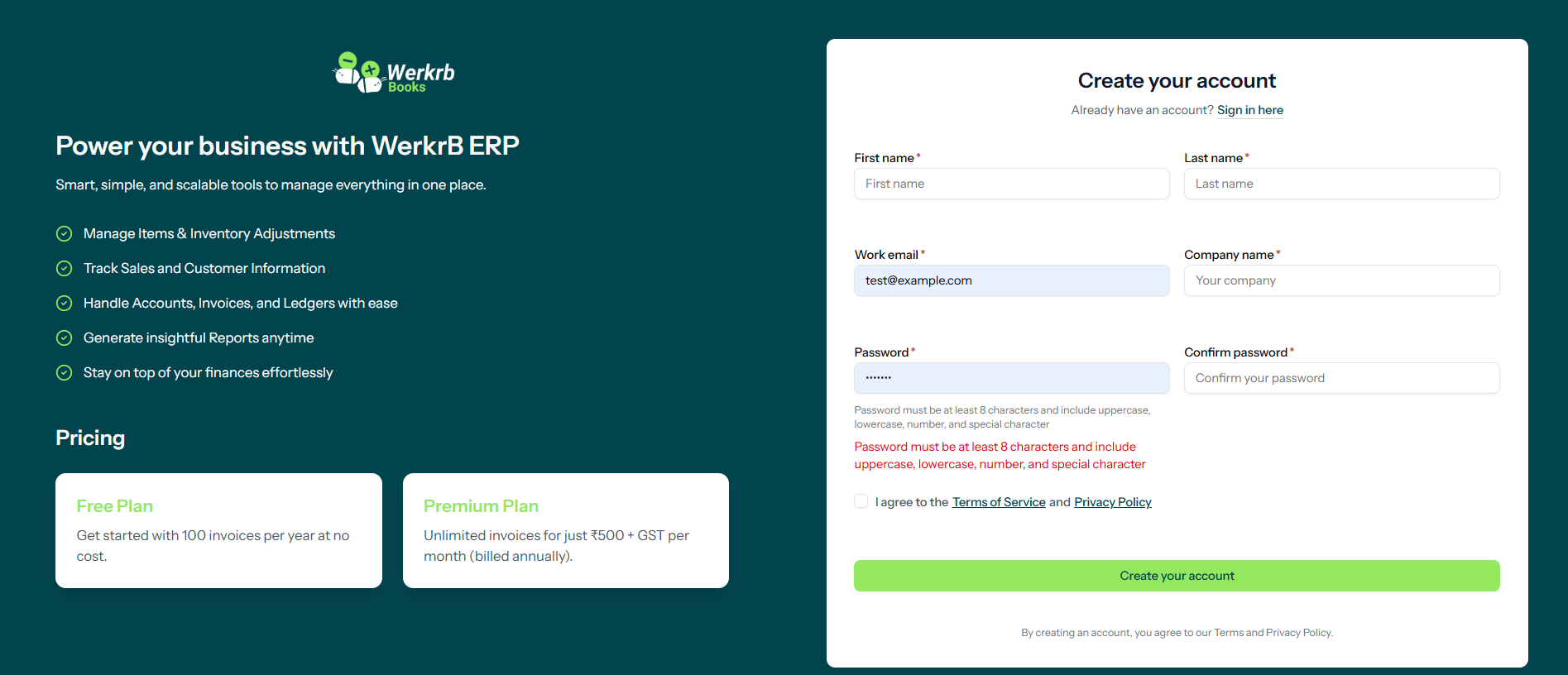
Step 1: Visit the Werkrb Books Website
Head over to https://books.werkrb.com.
On the homepage, you’ll find the “Sign Up for Free” option. Click it to begin your registration.
Step 2: Create Your Account
Fill in your basic details to create your Werkrb Books account:
- Full Name – Your personal or business representative name.
- Business Email Address – A professional email that you’ll use for logging in.
- Password – Choose a secure password.
- Company Name – The name of your organization.
- Country – Select your country for accurate tax and currency settings.
You also have the option to sign up using third-party accounts like Google or Microsoft for faster access.
Step 3: Verify Your Email
After completing the sign-up form, a verification email will be sent to your inbox.
- Open the email.
- Click the verification link.
This step activates your Werkrb Books account.
Step 4: Set Up Your Organization
Once verified, you’ll be redirected to the setup page where you’ll provide organization details such as:
- Organization Name
- Industry Type
- Currency
- Time Zone
- Business Address & Contact Information
Pro tip: Upload your company logo at this stage so your invoices and documents carry your brand identity.
Step 5: Configure Taxes & Compliance
Depending on your location, Werkrb Books allows you to configure tax settings:
- GST for India
- Sales Tax for the US
- VAT for other regions
Setting up taxes early ensures your invoices remain compliant and error-free.
Step 6: Import or Add Business Data
Next, you can begin adding your financial data:
- Contacts – Import customer and vendor details.
- Chart of Accounts – Set up categories for income, expenses, assets, and liabilities.
- Opening Balances – Add your financial balances to start fresh.
- Products & Services – List the items or services you sell, along with pricing.
Step 7: Explore Werkrb Books Features
Once setup is complete, you can explore all the core features:
- Create and send professional invoices
- Record and track expenses
- Manage stock and services
- Generate financial reports
- Automate workflows
- Integrate with payment gateways
Step 8: Choose the Right Plan
Werkrb Books offers a Free Plan that includes up to 100 invoices per year—ideal for freelancers and small businesses.
As your business grows, you can upgrade to paid plans for features like:
- Multi-user access
- Project management
- Advanced reporting and automation

A WordPress Commenter
September 1, 2025Hi, this is a comment.
To get started with moderating, editing, and deleting comments, please visit the Comments screen in the dashboard.
Commenter avatars come from Gravatar.